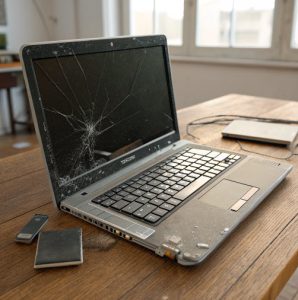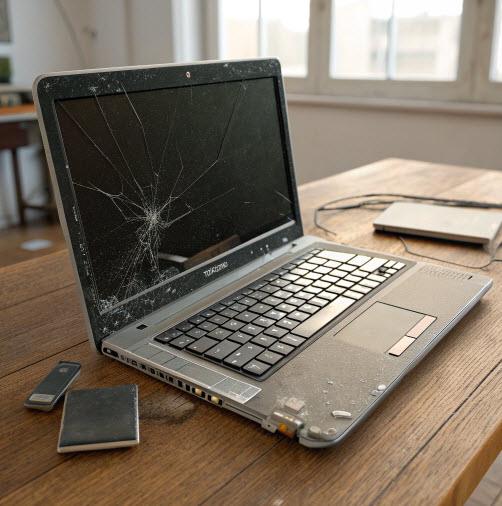
Here are the safest and most compliant disposal methods:
1. Use a Certified Computer Recycling Company (Best Method)
This is the safest, most secure and compliant option — especially for businesses.
A specialist company like Fixed Asset Disposal provides:
Free or low-cost collection
Full WEEE compliant disposal
Certified data destruction
Asset tracking and documentation
Secure chain of custody
Environmentally responsible recycling
This method ensures zero landfill, full GDPR compliance and 100% peace of mind.
2. Take It to a Local Council Recycling Centre
Most UK recycling centres have WEEE drop-off points.
Pros:
Convenient for individuals
Free of charge
Cons:
No guaranteed data destruction
No asset documentation
Not suitable for businesses requiring compliance paperwork
3. Return It to the Retailer (Take-Back Schemes)
Many UK retailers (Currys, Apple, Dell, etc.) offer recycling programs.
Pros:
Quick and simple
Sometimes offer trade-ins
Cons:
May refuse heavily damaged devices
Do not always provide formal data destruction certificates
Business recycling often not supported
4. Donate It (If Repairable)
If the laptop is not fully broken, charities or community groups may accept it.
However, this option is only suitable if:
The device is repairable
The hard drive is securely wiped
Your organisation permits donation under compliance rules
Never donate laptops containing sensitive corporate or personal data unless fully sanitised.
5. Sell It for Parts
Specialist buyers or refurbishers may purchase broken laptops for spare components.
Pros:
You may earn a small payment
Good for sustainable reuse
Cons:
You must erase data yourself
Not appropriate for businesses handling confidential information
⭐ 4. How to Prepare a Broken Laptop for Disposal
Before recycling, follow these key steps:
1. Remove or Wipe the Hard Drive (If Possible)
Even non-working laptops may have recoverable data.
Your options:
Wipe it using software
Remove the drive entirely
Request certified destruction from a professional recycler
2. Remove Accessories and Peripherals
Detach:
USB devices
Chargers
SD cards
External drives
Docking stations
3. Log Asset Details (For Businesses)
Record:
Device serial number
Model
Condition
Assigned user
This ensures clear audit trails for compliance.
4. Package the Laptop Safely (If Using a Collection Service)
Place it in:
A padded box
Bubble wrap
Anti-static packaging (ideal for corporate collections)
Certified IT recyclers often provide secure sealed containers for business sites.
⭐ 5. Why Businesses Must Dispose of Laptops Properly
For organisations, improper laptop disposal creates major risks.
🔹 Data Breach Risks
Old laptops contain:
Customer information
Payroll records
Intellectual property
Emails
Passwords
If this data leaks, it can lead to:
GDPR fines
ICO investigations
Reputational damage
Legal claims
🔹 Compliance Requirements
Under WEEE and environmental laws, businesses must:
Only use licensed disposal companies
Keep waste transfer notes
Maintain data destruction certificates
Show evidence of responsible recycling
Fixed Asset Disposal provides all necessary documentation, including:
Certificate of Data Destruction
WEEE Disposal Certificate
Asset Report for Audits
⭐ 6. What Happens If I Throw a Laptop in the Bin?
In the UK, disposing of a laptop in household waste is illegal.
Consequences can include:
Fines for improper disposal
Breach of WEEE regulations
Environmental penalties
Data breach risks
Battery fire hazards
Lithium-ion laptop batteries are a major fire risk in waste trucks and recycling centres.
Never place electronics in general waste.
⭐ 7. What About Batteries and Power Supplies?
Laptop batteries must be recycled separately under UK regulations.
They contain lithium and other reactive chemicals.
A certified recycler will:
Remove batteries safely
Transport them using approved containers
Recycle or neutralise them in accordance with law
Power adaptors and cables can also be recycled.
⭐ 8. Reusing Parts from a Broken Laptop
Not all components will be damaged. Often reusable parts include:
RAM
SSD or HDD (unless destroyed)
Screens
Keyboards
Trackpads
Cases
Chargers
Recyclers like Fixed Asset Disposal can harvest functional parts before recycling the remaining materials, maximising reuse and sustainability.
💬 Frequently Asked Questions (FAQs)
(Place this section just before Call to Action as requested)
1. Can I recycle a laptop that doesn’t turn on?
Yes. Even completely dead laptops can be recycled safely, and valuable materials can still be recovered.
2. Is it safe to throw a laptop in the bin?
No. It’s illegal under WEEE regulations and dangerous due to lithium battery fire risk.
3. How do I remove my data from a broken laptop?
You can:
Remove the hard drive
Use secure wiping software
Request a certified destruction service from Fixed Asset Disposal
4. Do you need proof of recycling for business audits?
Yes. Companies should obtain:
Waste Transfer Notes
Data Destruction Certificates
Asset Disposal Reports
5. Can a laptop with a smashed screen still be recycled?
Yes. Screens, plastics, metals and boards can all be processed.
6. Do recycling companies buy broken laptops?
Some may, depending on condition and components. Fixed Asset Disposal focuses on secure disposal, compliance and responsible recycling.
7. What happens to the hard drive during recycling?
It is either:
Securely wiped using certified methods, or
Physically destroyed (shredding or crushing)
8. Can I donate a broken laptop?
Only if the laptop is repairable and all data has been fully wiped. Severely damaged devices should go to a specialist recycler.
9. Do laptops contain hazardous materials?
Yes — including lithium, cadmium, lead and other toxins requiring specialist handling.
10. Can businesses get collection services for laptop disposal?
Yes. Fixed Asset Disposal provides secure, scheduled and bulk collection services for businesses across the UK.
🔥 Call to Action for Fixed Asset Disposal
When it comes to disposing of a broken laptop safely, securely and legally, trust the professionals. Fixed Asset Disposal offers industry-leading recycling and data destruction services for organisations and individuals across the UK.
✔ Why Choose Fixed Asset Disposal?
Fully WEEE-compliant computer recycling
GDPR-compliant data destruction
Certificate of Data Destruction provided
Asset reporting and full audit trail
Nationwide collection services
Zero-landfill policy
Environmentally responsible IT disposal
Trusted by businesses, schools, public sector and charities
♻️ Make laptop disposal simple, secure and compliant.
👉 Visit: www.fixedassetdisposal.co.uk
👉 Book your secure laptop recycling collection today
👉 Protect your data, your business and the environment — the responsible way.
Fixed Asset Disposal — Your trusted UK partner for secure IT recycling and data destruction.